

Most automation projects don't fail because of bad tools. They fail because the underlying architecture was never properly designed. Structuring automation systems with the right components, clear contracts, and failure handling separates workflows that scale from ones that quietly break under pressure. This guide walks you through the foundational components, a step-by-step build process, common structural pitfalls, and the verification strategies that keep production systems reliable over time.
Table of Contents
- Key Takeaways
- Structuring automation systems: the core building blocks
- How to design and implement a structured system
- Common structural challenges and how to fix them
- Verification, validation, and scaling for long-term success
- My take on resilience and human integration
- Build systems that actually scale with Starksglobalgroup
- FAQ
Key Takeaways
| Point | Details |
|---|---|
| Define explicit workflow contracts | Map every workflow to triggers, conditions, actions, and human checkpoints before building anything. |
| Separate AI from deterministic execution | Use hybrid AI + RPA architecture so interpretation and rule-based tasks never compete in the same layer. |
| Design for failure from day one | Implement Saga-style compensating transactions so multi-step failures don't leave orphaned data states. |
| Monitor before you scale | Set up health signals and synthetic tests before expanding workflows to catch silent failures early. |
| Validate continuously, not once | Run resilience audits and schema validation on AI outputs on a recurring cycle, not just at launch. |
Structuring automation systems: the core building blocks
Before you write a single integration or configure a single trigger, you need to understand what an automation system is actually made of. At the structural level, workflow automation is built on four components: triggers, conditions and rules, actions, and human checkpoints. Each serves a distinct purpose and must be defined explicitly before any platform configuration begins.
Here is how each component functions in practice:
- Triggers are the events that start a workflow. A new CRM entry, an incoming webhook, a scheduled time, or a file upload can all serve as triggers. The trigger definition must be precise: what exact condition fires it, and under what circumstances should it not fire.
- Conditions and rules determine the path a workflow takes after the trigger fires. These are your decision points. They filter, route, and branch based on data values.
- Actions are the executable steps. Sending an email, updating a database record, calling an API, generating an AI response. Each action should have a defined success state and a defined failure state.
- Human checkpoints are deliberate pauses built into the workflow where a person reviews, approves, or corrects before the process continues.
Beyond these four components, you also need to address ownership, permissions, and visibility. Every workflow should have a named owner, role-based access controls, and a logging layer that creates a clear audit trail. Without this, your team cannot trust the system, and regulators or clients cannot verify it.
The table below maps these components to the requirements you need to satisfy before building:
| Component | What to define | Platform requirement |
|---|---|---|
| Trigger | Event source, data payload, frequency | Webhook or event listener |
| Conditions | Logic rules, branching paths | Rule engine or conditional logic block |
| Actions | Task type, success/failure state | API connector or native integration |
| Human checkpoint | Review queue, escalation threshold | Task routing with notification layer |
| Permissions | Owner, editor, viewer roles | Role-based access controls |
Explicitly defining triggers, rules, and actions turns tribal knowledge into testable, auditable workflows that your entire team can understand and maintain. That is the prerequisite for everything that follows.

How to design and implement a structured system
With your components mapped out, you can begin the actual build. This is where most teams get into trouble: they skip from concept to configuration without a structured design phase. Here is the process we recommend at Starksglobalgroup.
-
Translate every workflow into explicit contracts. Write out the trigger, every condition branch, every action, and every human checkpoint before touching your platform. Think of these as your workflow blueprints and treat them as living documents that the system must match exactly.
-
Apply hybrid AI + RPA architecture. AI handles interpretation and decision-making, such as classifying a support ticket or extracting data from an unstructured document, while RPA executes defined rules precisely, such as routing that ticket or updating a field in your CRM. Never mix these concerns in the same layer. When AI confidence falls below a defined threshold, route the task to a human checkpoint instead of letting a low-confidence output propagate downstream.
-
Implement human-in-the-loop at the right points. Three HITL patterns cover most production needs: synchronous (the workflow pauses until a human acts), asynchronous (the task is queued for human review while the workflow continues other branches), and human-on-the-loop (a monitor alerts a human who can intervene if needed). Choose the pattern based on the risk level of the step, not convenience.
-
Use Saga pattern orchestration for multi-step workflows. The Saga pattern treats each step as a local transaction with a corresponding compensating transaction that can reverse it if a later step fails. Instead of relying on a database rollback, each step defines its own undo logic. This keeps your cross-system data consistent even when integrations fail mid-sequence.
-
Build a dedicated testing environment before any production deployment. Mirror your production integrations as closely as possible. Run the full workflow with synthetic data, including deliberate failure scenarios, before any real data flows through it.
Pro Tip: Write your compensating transactions before you write your primary actions. If you cannot define how to reverse a step, that is a strong signal the step is not sufficiently isolated and needs to be redesigned before deployment.
Common structural challenges and how to fix them
Even well-designed systems develop problems at scale. Systems that chain external API calls without retries or compensations risk cascading failures and orphaned data states. The patterns below represent the most frequent structural problems we see, along with their practical fixes.
-
Chaining fragile dependent steps. When Step 3 silently depends on the output format of Step 1 and that format changes, the entire chain breaks without a clear error. Fix this by defining explicit input and output schemas for every step, and validating them at the boundary between stages.
-
Unmanaged workflow state. Storing workflow state inside a proprietary platform's black-box system means you cannot inspect it, migrate it, or recover it independently. Maintain state in a database or queue that your team owns and controls.
-
No fallback layer. When an AI model returns an unexpected output or an API call times out, the workflow should degrade gracefully: log the failure, notify the owner, and route the task to a human checkpoint rather than halt entirely.
-
Missing versioning controls. AI models change. Prompts drift. Output formats shift between provider updates. Introducing a lightweight abstraction layer around your LLM calls lets you manage retry logic, logging, and output validation in one place. You can swap models or update prompts without rewriting downstream steps.
-
No monitoring-first design. Monitoring-first design means defining your health signals and automated tests before building the workflow, not after it breaks in production.
Pro Tip: Set a weekly alert that fires if any critical workflow has not executed successfully at least once. Silent automation failure is more dangerous than noisy failure because no one notices until the downstream damage is already significant.
One pattern worth calling out specifically: implicit stage handoff contracts cause more production breakages than almost any other structural issue. When two workflow stages assume a shared data format without documenting it, any change to either stage breaks the connection. Make every handoff explicit, documented, and validated at runtime.
Verification, validation, and scaling for long-term success
A production automation system is not done when it goes live. It requires ongoing verification to stay reliable as your business grows, your integrations update, and your AI models evolve.
The table below compares reactive versus proactive validation approaches so you can see where your current practices fall:
| Approach | When it catches problems | Cost of failure |
|---|---|---|
| Reactive debugging | After production failure | High: data loss, customer impact |
| Scheduled resilience audits | Before failures compound | Medium: planned maintenance window |
| Monitoring dashboards | In real-time | Low: fast detection and rerouting |
| Schema validation on AI outputs | At every execution | Very low: prevents bad data from propagating |
| Synthetic testing monitors | On a regular schedule | Very low: pre-empts silent failures |
Start with resilience audits on critical workflows. Walk through each workflow and ask: what happens if this API goes down? What happens if the AI returns a null value? What happens if the human checkpoint is not resolved within 24 hours? Each question should have a documented answer in your system design, not just in someone's head.
Schema validation on AI outputs deserves specific attention. AI models produce variable output structures, and a workflow that expects a JSON object with three specific keys will fail silently if the model returns something slightly different. Validate outputs against a schema at every execution, and log every deviation for review.
Use monitoring dashboards to track error rates and success ratios per workflow, not just per platform. You want to know if Workflow A is failing 4% of executions, even if the platform overall looks healthy. Then plan incremental rollout when expanding: deploy to one team or one data segment first, verify performance, and expand only after the success ratio meets your threshold.
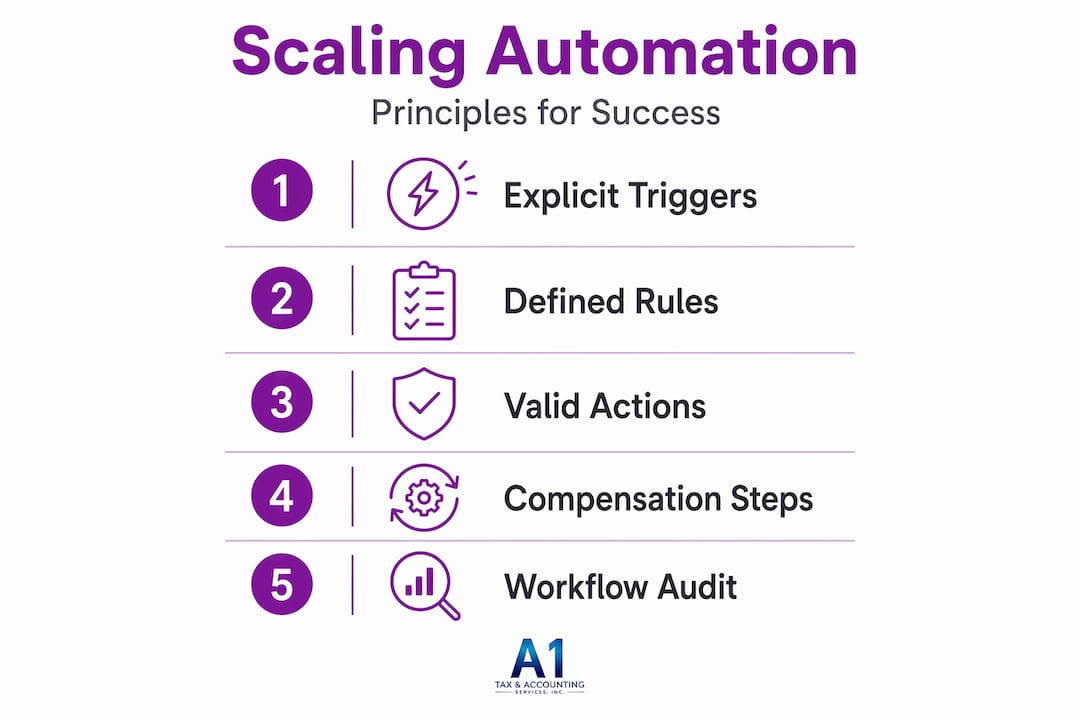
Multi-step automations should implement business-level compensations safe to replay. This is a scaling principle, not just a fault-tolerance principle. Replayable steps mean you can recover from partial failures without manual intervention, which is what keeps automation reliable at volume.
My take on resilience and human integration
I've spent considerable time reviewing automation architectures that looked impressive on a slide deck and completely fell apart in production. The pattern is almost always the same: the team optimized for launch speed and skipped the failure design. They built the happy path in detail and treated everything else as an edge case.
Here is what I've learned: failure is not an edge case in automation. It is a regular occurrence that your architecture must absorb without human intervention every time. The businesses that scale automation successfully are the ones that treat their compensating transactions with the same rigor as their primary actions.
I also think the conversation around hybrid AI and RPA architecture gets oversimplified. People talk about "adding AI" to automation as if it's a single decision. It's not. It's a layered architectural choice that affects every downstream step, every human checkpoint, and every failure mode. The role of automation engineers here is not just to connect tools. It is to design the contract between those tools so they can fail independently without taking each other down.
The most underused principle I see is human-on-the-loop monitoring. Teams either automate everything or escalate everything. The middle path, where a human monitors with selective intervention, is where the real reliability gains live for complex workflows.
— Tyler
Build systems that actually scale with Starksglobalgroup
The principles in this guide are exactly what we built our platform around at Starksglobalgroup. Every blueprint we publish reflects layered architecture: tool, system, workflow, and deployment layers working together as a connected infrastructure, not a collection of disconnected integrations.

If you are building or scaling an AI automation agency, our AI Automation Agency System blueprint gives you a pre-structured architecture with verified tools, defined workflow contracts, and built-in failure handling. We also offer blueprints for AI appointment setter workflows and AI-driven sales closer systems for teams that need specialized automation stacks. Each blueprint is tested, documented, and designed for production deployment. Explore the full automation infrastructure platform to find the architecture that fits your operation.
FAQ
What is structuring automation systems?
Structuring automation systems means designing workflows with explicitly defined triggers, conditions, actions, and human checkpoints, plus failure handling and monitoring, before configuring any platform. A structured system is auditable, testable, and resilient at scale.
What are the main types of workflow automation?
The main types include trigger-based automation, rule-driven automation, AI-assisted automation, and hybrid AI + RPA workflows. Each type suits different tasks depending on whether the process is deterministic, data-heavy, or requires interpretation.
Why use automation platforms instead of custom code?
Automation platforms provide pre-built connectors, logging, permissions, and testing environments that would take months to build from scratch. They also lower the barrier for non-engineers to contribute to workflow design while keeping engineers in control of architecture.
What is the Saga pattern in automation?
The Saga pattern is an orchestration approach where each step in a multi-step workflow has a compensating transaction that can reverse it if a later step fails. It maintains cross-system data consistency without relying on distributed atomic transactions.
What is the role of automation engineers in system design?
Automation engineers design the contracts between tools and workflows, define failure modes and compensations, and build the abstraction layers that keep AI outputs and integrations from causing cascading errors across a system.